No-sew faux leather patterns, any size
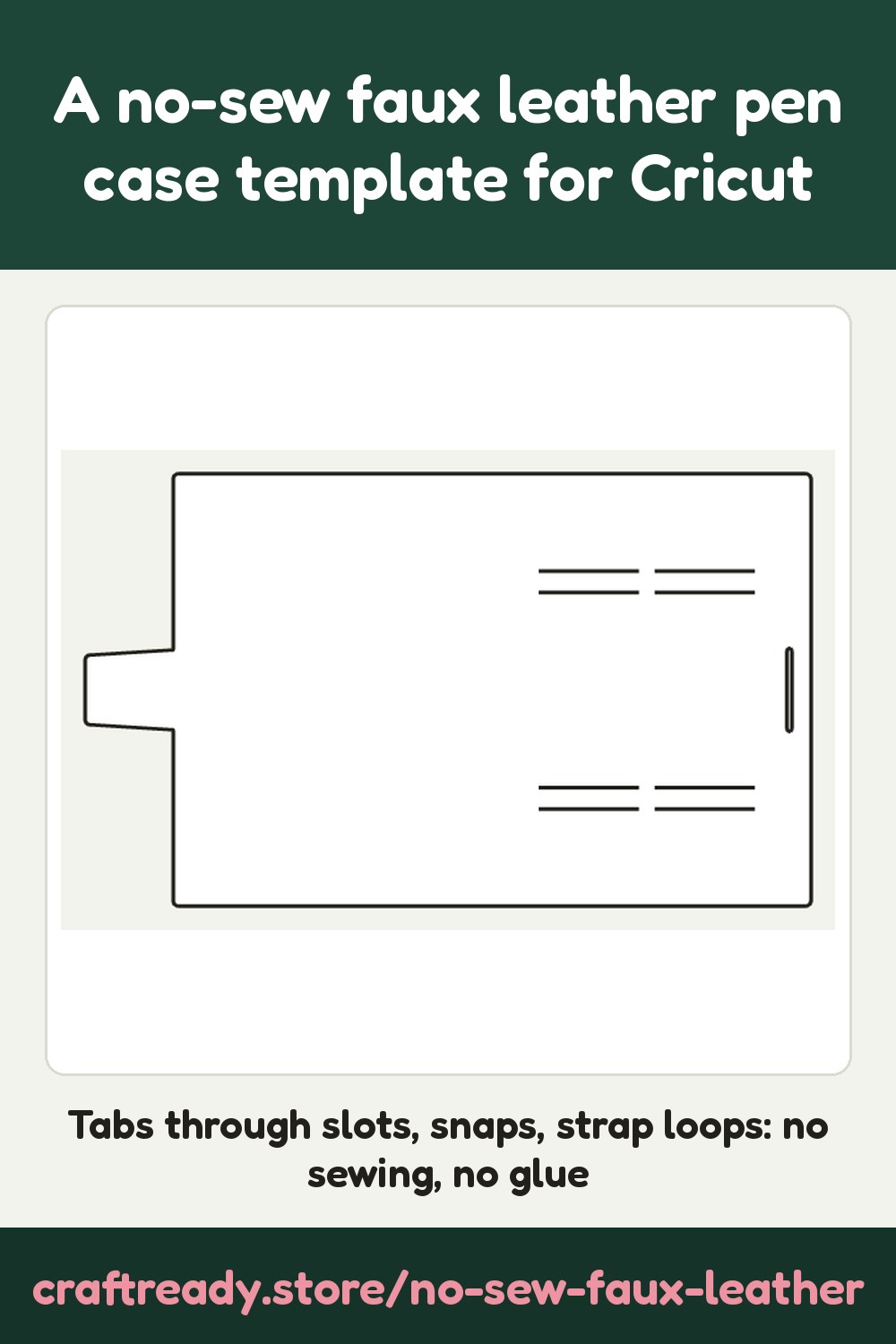
- Pen case: a wrap that folds over your pens. Each pen sits in a strap loop (the strip between two slits) and the cover closes with a tab through a slot or a snap. Made for bulky pens up to 25 mm thick.
- Card holder: a slim wallet with a back panel and one to three pockets, each held by little tabs through slots.
- Key fob: a strap that folds through a key ring and shuts with a snap or rivet.
- Earbud or coin pouch: a small envelope with a flap and side tabs, closed by a tab through a slot or a snap.
The sizes you type are the inside of the item: what has to fit in it. Type the thickness of your faux leather too, because the slots are cut to it. A big item may not fit your mat: the page tells you when to choose a bigger mat or a smaller size, and faux leather's 12 x 12 in and 12 x 24 in sheets are both on the list.
How to cut it with a Cricut
Use a Cricut Maker with the knife or rotary blade for thick faux leather, and cut a test from scrap first.
- In Design Space click Upload, then Upload Image, and pick the SVG (unzip the download first if you made more than one page). It lands on the canvas at true size, with grey pieces so you can see them; the grey is not cut.
- In the Layers panel click the arrow on the Group row to open it. Each grey piece is its own Basic Cut row, with its slots, holes and slit lines cut inside it; leave those as they are.
- If you chose score or pen lines, click those rows and change Basic Cut to Draw > Score (or Draw > Pen), then select everything and press Attach. With the default, there are no fold lines to change.
- Set the material to faux leather (or the closest setting your machine has), put the sheet face down on a strong grip mat, and press Make.
- Fold from notch to notch, push each tab through its slot or press in the snap, and thread each pen through its strap.
Frequently asked
- Is the No-Sew Faux Leather Maker really free?
- Yes. It is free, with no account and no AI: the pattern is drawn from the sizes you type, so there is nothing to upload and nothing to pay. Make and download as many as you like.
- How does a no-sew faux leather pen case close?
- With a tab that goes through a slot, or with a snap or rivet through a round hole. The pens sit in strap loops: each loop is the strip of faux leather between two slits, so nothing is sewn or glued. Choose the closure on the page.
- What size should I type for my pens?
- The pen's length and its thickness (diameter), measured at the widest point of the barrel or cap. A bulky pen can be up to 25 mm (about 1 in) thick; the case holds 1 to 12 pens. The pattern adds the room the straps and the folds need.
- Why does it ask for the thickness of my faux leather?
- A slot has to be as wide as the tab plus a little, and high enough for the material to pass through. Thin faux leather (0.5 mm) gets a narrow slot and thick faux leather (2 mm) a taller one. Measure a corner of your sheet with calipers, or start with the default of 1 mm and cut a test from scrap.
- Do I need to score the folds?
- Faux leather folds without scoring, so the default is to leave the fold lines out and mark each fold with two small notches at the edge: fold from notch to notch. You can also choose score lines (for a scoring stylus) or pen lines (the line is drawn on, then folded).
- Which Cricut blade and mat should I use?
- A Cricut Maker with the knife blade or the rotary blade cuts most faux leather; a Cricut Explore or Joy can cut thin faux leather with the deep-point blade on a strong grip mat. Faux leather sheets are usually 12 x 12 in or 12 x 24 in, so the page packs the pieces on those mats as well as on Letter and A4. Always cut a small test first.
- Which file do I need?
- For Cricut Design Space, use SVG. DXF is for Silhouette Studio, Brother CanvasWorkspace and laser software. Both hold the pattern at true size.