How it works
- Upload a leather pattern: a PDF, or a picture of one (JPEG, PNG or WebP).
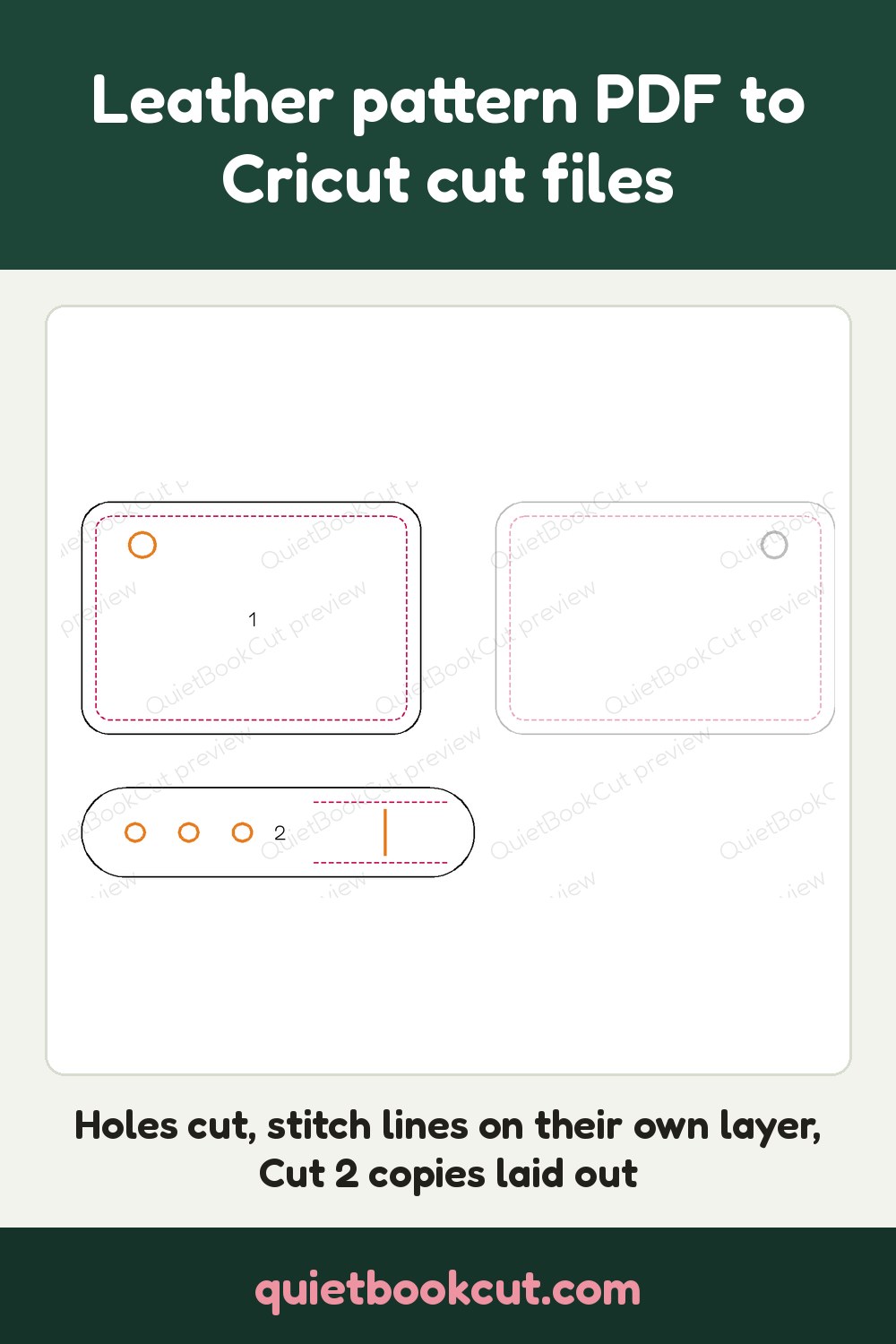
- Check each page: every piece is numbered, with its cut line, its holes and slots, and its stitch lines shown. A dashed join edge that leaves a piece open is closed for you.
- Check what was left out: scale squares, text boxes, photos, cover pages and example drawings are listed with the reason, and you can put any of them back.
- Choose stitch lines on or off, the extra “Cut 2” and mirrored copies on or off, and SVG or DXF.
- Download one zip with a cut file per page: SVG for Cricut Design Space, DXF for lasers, Silhouette Studio and Brother CanvasWorkspace.
Pictures are sized as 300 DPI scans, so a phone photo of a printed sheet may not come out at its true size. A piece printed across two pages comes out as two pieces.
Frequently asked
- Can a Cricut cut leather?
- Yes. A Cricut Maker cuts tooling and craft leather with the knife blade, and thin garment leather with the rotary blade. Use the SVG file in Cricut Design Space; it lands at true size with every piece, hole and slot ready to cut.
- What happens to the stitch lines?
- Dashed and dotted stitch lines go on their own stitch layer instead of being cut. In Cricut Design Space open the group, select the stitch layer, set its Operation to Draw > Pen (or Draw > Score) and Attach it to the pieces, so the machine marks where to punch instead of cutting. On a laser, engrave that layer. You can also leave the stitch lines out of the download.
- What does "Cut 2, one mirrored" do?
- When a piece says Cut 2, Cut 3x or Cut two, one mirrored, the extra copies are written beside it in the same file, the mirrored ones flipped, so a left and right side come out of one upload. Turn Write extra copies off to get each piece once.
- Why are some shapes left out?
- Patterns carry things that aren't pieces: the 1-inch scale square, text and instruction boxes, product photos, cover pages and small example drawings. Those are left out of the cut files and listed with the reason. If one of them is a real piece, tick Put back and it is cut like the others.
- Which file do I use for a laser or a Silhouette?
- Use the SVG for Cricut Design Space. Use the DXF for laser software, Silhouette Studio and Brother CanvasWorkspace; it has the cut lines on a CUT layer and the stitch lines on a STITCH layer. For Cricut Design Space, use SVG.
- How much does it cost?
- Uploading and previewing are free. Downloading a pattern costs 5 credits, taken from your free monthly credits first (a free account gets 25 credits every month). After that every page, option and file type of the same pattern is free, and leaving pieces out doesn't change the price.
- Can I use any pattern I find online?
- Only upload patterns you own or have permission to use: your own designs, or patterns whose licence lets you cut them. QuietBookCut is a tool for making your own projects, not for copying someone else's work.